Home dashboard
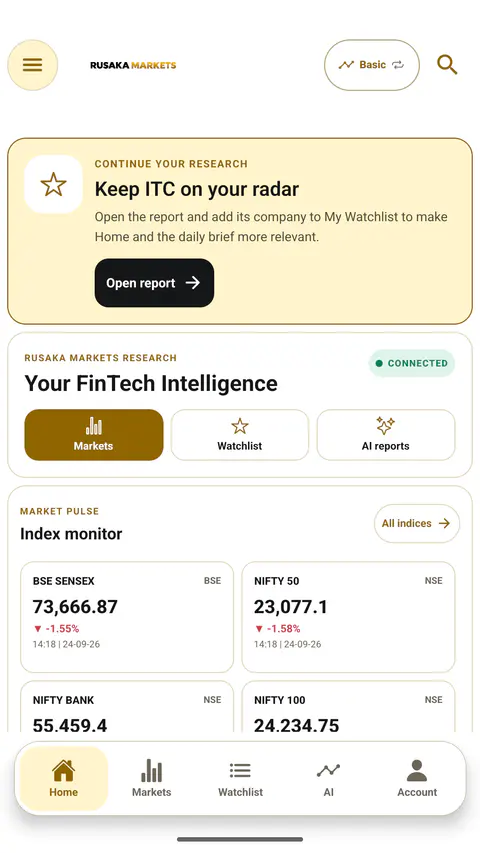
Use the home workspace to reach markets, watchlists, AI reports, indices, and configurable research widgets.
Open the right place
Basic → Home
Main areas
The top shortcuts open Markets, Watchlist, and AI reports. The index monitor keeps the six primary indices in their defined order; All indices opens the wider directory.
Customize
- Open Customize in the personal widgets area.
- Choose the information blocks you want to see.
- Return to Home and pull to refresh when you need a new snapshot.
Freshness
Each market value should be read with its displayed timestamp and exchange context. Some panels can continue hydrating after the first fast dashboard shell appears.
Relevant screen referenceBasic Home dashboard with the primary research shortcuts and market widgets.
Verify before you leave
- The six primary indices remain in their defined order.
- Personal widgets reflect the signed-in account.
- Each market value is read with its visible timestamp.